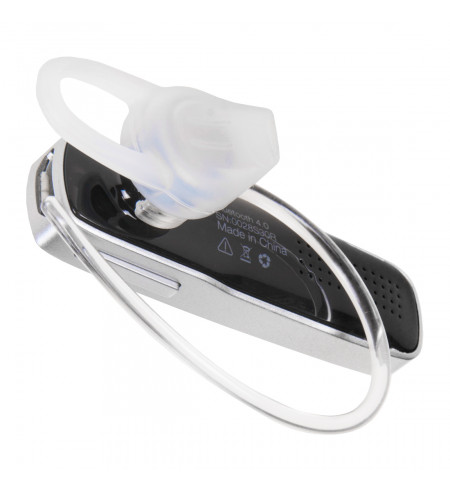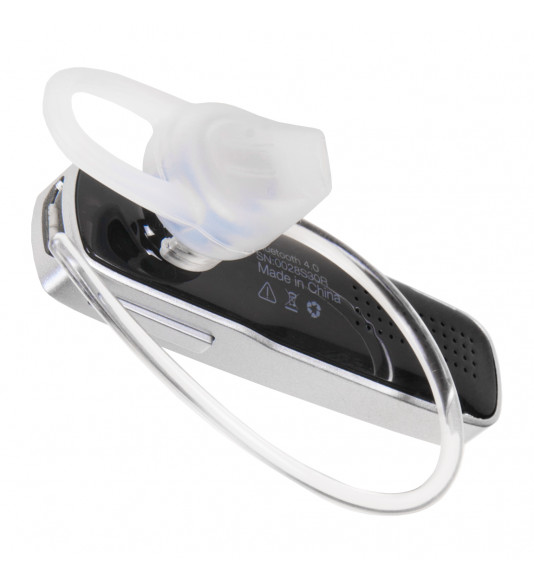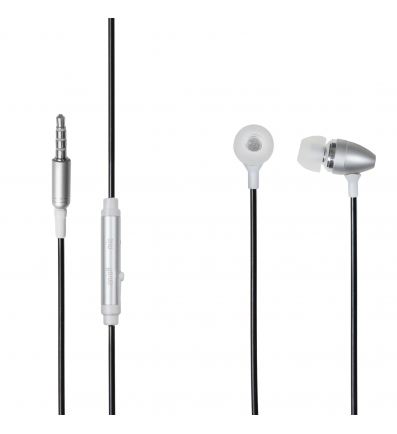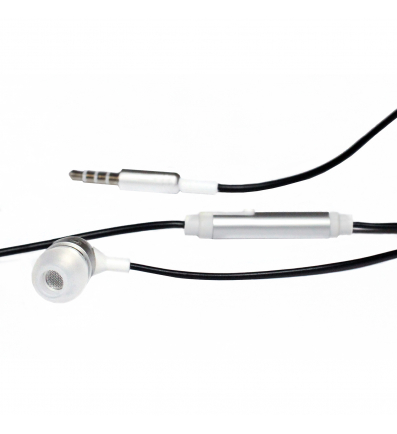
NUVO Bluetooth Handsfree, black

NUVO Bluetooth Handsfree black

nuvo wireless bluetooth audio in ear handsfree hands free headset head phone multipoint black

Reference N-BT-HF-CIE
In stock
€20.99
Orders made prior to 2.30pm are shipped the same day when courier method is selected

 
  • Elegant design
  • Easy to use, wear and enjoy
  • Clear sound
  • Multipoint connectivity - connects to two Bluetooth devices simultaneously
  • Package contains NUVO headset and USB Cable
  • Compatible with all devices with Bluetooth support
  • Colour: black
Colour
black
Connection
Bluetooth
Condition
New product

NUVO Bluetooth Handsfree

Specification:

Net weight: 5g
Bluetooth version: 4.0
Working time: 4 - 6 hours
Standby: 200 hours
Charging time: 1 - 1.5 hours
Connection distance: max. 10m
Battery: Li-Ion, 60 mAh

Functions:

Voice command feature
Battery level shown on the status bar on the display of the mobile device*
Smart anti-noise device
Six volume levels (0% - 100%)
MultipointOneCall – support for simultaneous connection of two devices
Support for playing music

Buttons:

1 Power Button

2 Volume Button

3 Functional Button

Pairing:

1. To switch on the NUVO Bluetooth headset, push the Power button to position I (the LED diode turns blue). “Power on“ sounds from the headset. The pairing starts automatically, the LED diode starts ­flashing in blue and red colour and “Pairing“ sounds from the headset.

2. Activate the Bluetooth function in your mobile device. Then activate search for a new Bluetooth device and select your NUVO BTH S-800 device for pairing. If the device was successfully paired with your mobile device, the LED diode stops blinking automatically and the “Successful“ notice sounds from the headset. After your device has been connected, the “Connected“ notice sounds from the headset.

3. If the pairing fails to start automatically or you wish to pair another device, press and hold the functional button, until the diode starts blinking in blue and red colour. “Pairing“ sounds from the headset. Continue with step 2.

4. To connect another device, deactivate Bluetooth in the paired device. Continue with steps 1. – 3. After the devices have been successfully paired, you can activate the Bluetooth function in the first device. “Second device connected“ sounds from the headset.

Although the devices do not have to be within sight, their mutual distance cannot exceed 10 metres. Various obstacles (e. g. walls, other electronic equipment, etc.) can have negative effect on the quality of connection.

Incoming calls: press the functional button once or answer the call on your device

Terminating calls: press the functional button once or terminate the call on your device

Rejecting calls: hold the functional button for about 1 second or reject the call on your device

Dialling last called number: press the functional button twice. If two devices are connected simultaneously, the last number will be dialled from the list of calls made from the device that was used last.

Activation of voice commands: hold the functional button until you hear one beep sound. After the signal was released, you can perform voice commands according to the operation system integrated within your device.

Battery level: hold the functional button until you hear the “Battery level...“message.

High – high level
Medium – about 60% or less battery remaining
Low – about 25% or less battery remaining

*iOS9.3.2 and higher and Android 6.0 and higher support battery life display for connected devices on the status bar of your mobile device.

Low battery: The headset releases a message „Low battery, please charge“.

Music player: If the device is not being used, press the functional button once to play/pause music.

Signal lost: If signal has been lost between devices, the headset releases a “Disconnected“ message. Your NUVO Bluetooth Headset device will try to restore the connection and if its attempt was successful, a “Connected“ message is heard.

Sleep mode: If NUVO Bluetooth Headset remains without signal for more than 90 minutes, the device automatically switches to sleep mode. To terminate sleep mode, switch the device on and off using the power button.

Multipoint One Call: You can pair and use your NUVO Bluetooth Headset with two mobile devices connected simultaneously.

If there is an incoming call during an ongoing call, you will hear the sound of the incoming call from the second paired device. To receive the call coming from the second paired mobile device, first you have to terminate the first call by pressing the functional button, and the second incoming call will be received automatically.

Battery charge: The charging time is 1 - 1.5 hours. During charging, the LED diode is red. When the device is fully charged, the LED changes to blue.

Please, charge your device once a month as minimum, it will help you prolong the life of your battery.

CAUTION: Before charging, make sure that the charger is suitable for NUVO Bluetooth Headset.

The device is equipped with a Li-lion battery. Do not remove the battery to prevent damage to your device. This is an electrical device! Keep it away from wet and dusty environment! When cleaning the device, the cloth must be dry.

Customers who bought this product also bought:

Viewed products

Product added to wishlist
Product added to compare.